🔄 Firmware Updates
Q: Do I need to keep firmware up to date? Yes — many connection, ONVIF, and feature issues (doorbell call, AI notifications) are fixed simply by updating. Always confirm you're on the latest version before deeper troubleshooting.
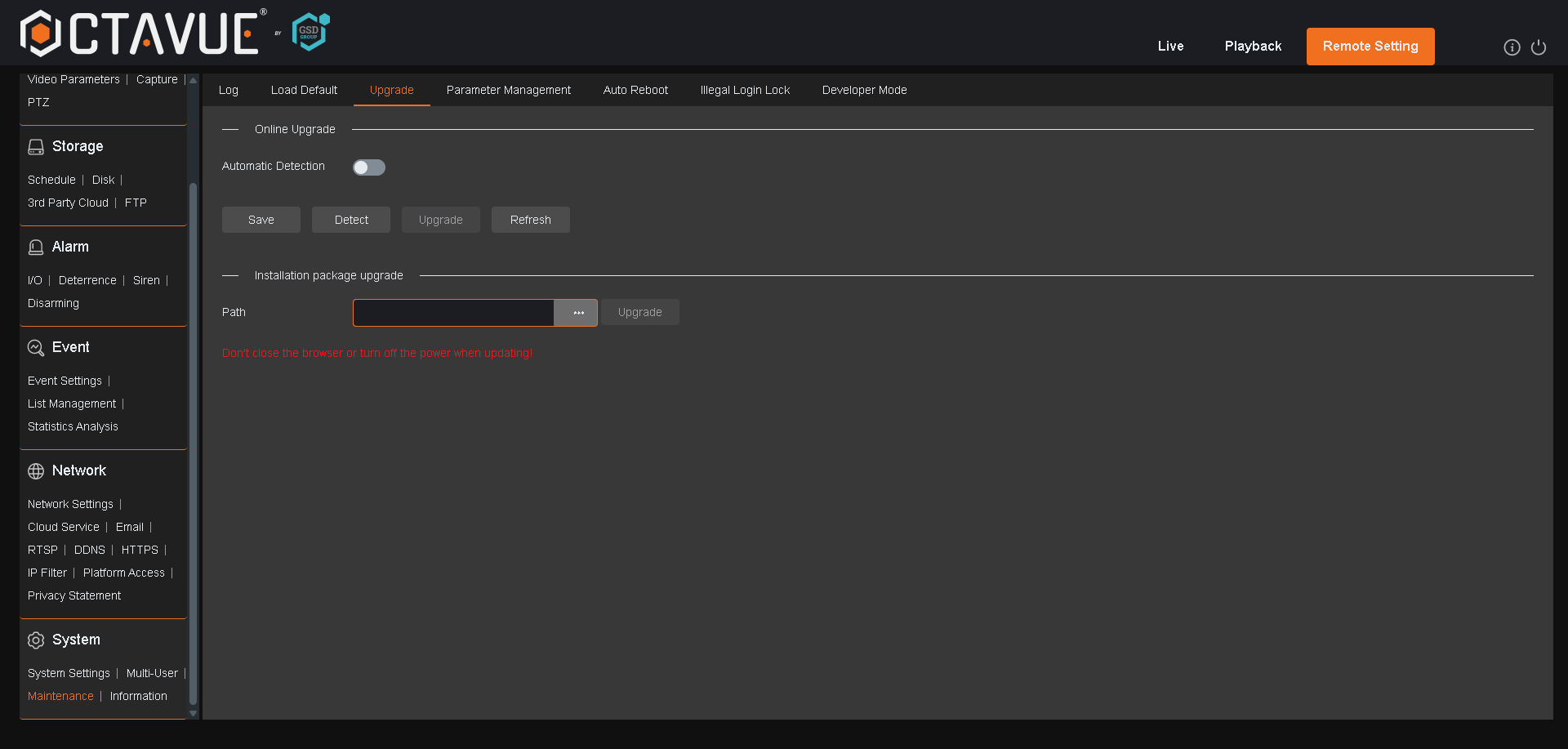
Q: How do I update the firmware?
- Download the firmware file (.bin or .sw) for your exact model from our website.
- In the device web interface, go to System → Maintenance → Upgrade.
- Select the firmware file.
- Click Upgrade.
- Enter the admin password if prompted.
- Do not power off the device during the upgrade.
Q: The upgrade fails or won't apply. Verify you downloaded the exact file for your model — a similar-model file (e.g., an NVR file on a DVR) fails silently. Re-download from the official source and confirm the model matches exactly.
Q: After an update, some settings reset or a feature stopped. Some updates reset specific menus to default. After any upgrade, review your notification, AI, and network settings and re-apply custom values.
Still need help? Open a support ticket with your device model and a description of the issue. GSD Support · +1-866-791-7020 (option 5, or ext. 2055) · help@gsdgroupinc.com